
Key Takeaways
- Proper permissions and governance prevent data leakage and compliance issues
- A structured SharePoint/Teams environment delivers better Copilot results
- Adoption training is critical—most teams need 2-4 weeks of support
- Typical setup cost: £4k-£12k depending on team size and complexity
Who It's For
Microsoft Copilot setup is ideal for UK businesses already using Microsoft 365 who want to:
- •Reduce time spent on emails, document drafting, and information search
- •Improve team productivity without adding headcount or complex new software
- •Deploy AI safely with proper permissions, audit trails, and GDPR compliance
- •Get adoption right the first time with structured training and support
Best suited for teams of 10-200 staff with Microsoft 365 E3/E5 licenses or considering an upgrade. Works across all sectors: professional services, construction, logistics, healthcare, and retail.
What You'll Get
Readiness Assessment
Review current M365 setup, licensing, and data structure
Licensing Guidance
Right-size Copilot licenses and optimize costs
Permissions Setup
Configure SharePoint/Teams permissions to prevent data leakage
Governance Policies
Define acceptable use, data boundaries, and compliance rules
SharePoint Cleanup
Organize document libraries and metadata for better AI results
Rollout Plan
Phased deployment strategy with pilot group and full rollout
Training Program
Workshops, quick-start guides, and ongoing support materials
Measurement Framework
Track adoption, usage patterns, and productivity gains
Common Use Cases
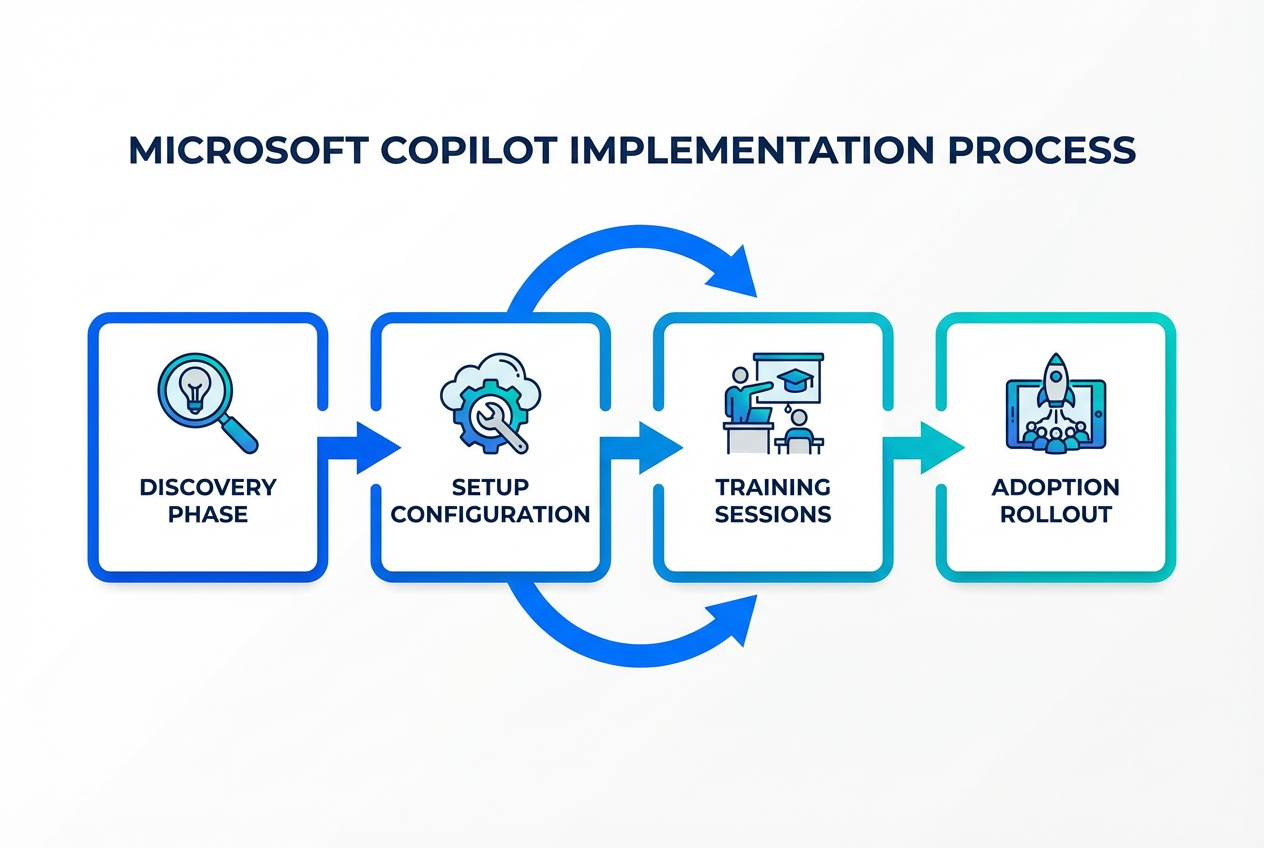
Our Approach
- 1
Discovery & Readiness
Audit your current M365 environment, review permissions, assess data structure, and identify quick wins. Typically 3-5 days.
- 2
Pilot Setup
Configure Copilot for a small group (5-15 people), set governance policies, provide targeted training, and gather feedback. 1-2 weeks.
- 3
Full Rollout
Expand to the entire organization with proper onboarding, documentation, and support channels in place. 2-4 weeks.
- 4
Adoption & Optimization
Monitor usage, provide ongoing training, refine permissions, and expand use cases based on team feedback. Ongoing.
Security & Governance
Copilot respects Microsoft 365 permissions—it can only access data the user already has access to. Our job is to ensure those permissions are set up correctly and governance policies prevent misuse.
Permission Audits
Review and fix overshared SharePoint sites, Teams channels, and shared mailboxes.
Data Loss Prevention
Configure DLP policies to prevent sensitive data from being summarized or shared via Copilot.
Acceptable Use Policy
Define what Copilot can and cannot be used for, with clear examples and enforcement.
Audit Logging
Enable Microsoft Purview audit logs to track Copilot queries and data access patterns.
GDPR Compliance
Ensure data residency, consent, and retention policies align with UK data protection requirements.
What It Costs
Microsoft Copilot setup costs vary based on team size, current M365 structure, and governance requirements. Here's a typical breakdown:
Small Teams (10-30 users)
£4k-£7k: Readiness, pilot setup, basic governance, and training.
Mid-Size Teams (30-100 users)
£8k-£15k: Full rollout, advanced governance, phased deployment, ongoing support.
Larger Organizations (100+ users)
£15k+: Enterprise governance, multi-department rollout, custom training, dedicated support.
What affects the cost: Current SharePoint structure, number of departments, compliance requirements, training needs, and whether you want ongoing optimization support.
Microsoft licensing costs are separate: Copilot for Microsoft 365 is £24-£30/user/month (requires E3/E5 license). We help you optimize the number of licenses needed.
Frequently Asked Questions
Ready to Deploy Microsoft Copilot?
Get a tailored cost estimate and rollout plan for your business. We'll assess your setup and recommend the best approach.